Priority Protection of PAL Users through OpenSAS
Objective
This tutorial outlines the steps to demonstrate the integration of the OpenSAS Server and CBSD for GAA and PAL operations using srsRAN and Open5GS. We demonstrate priority protection for higher-tier user (PAL) in presence of lower-tier users (GAA) in the CBRS ecosystem through OpenSAS.
For more information on OpenSAS architecture and installation configuration, please visit: OpenSAS.
Experimental Setup
The setup uses one VM/PC running OpenSAS and its dashboard, and two other VMs/PCs running the CBSD client with an srsRAN gNB in ZMQ mode. The GAA CBSD is run first, followed by the PAL CBSD requesting same frequency in a overlapping coverage area. The OpenSAS server will grant the PAL CBSD access to the spectrum, ensuring priority protection for PAL users and GAA users wait for the spectrum to be available. Once spectrum is vacated by the PAL user, the GAA user is automatically granted access to the spectrum.
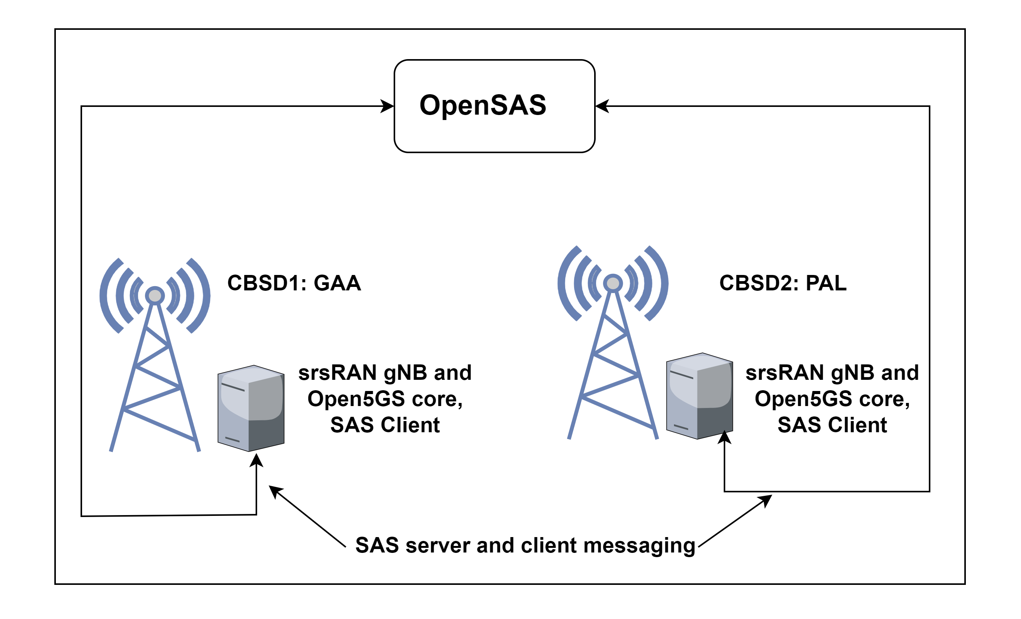
Figure : Experimental Setup.
Setting Up the Experiment
Prerequisites
OpenSAS server and dashboard are installed and configured properly. The installation and configuration steps can be found at server installation and configuration and dashboard installation and configuration.
Install and configure PAL and GAA CBSDs with srsRAN gNB and Open5GS core. The installation and configuration steps can be found at CBSD client for OpenSAS.
Running the Experiment
From the VM hosting OpenSAS, start the OpenSAS Server:
cd OpenSAS/Core
python server.py
Ensure that the OpenSAS server is running.
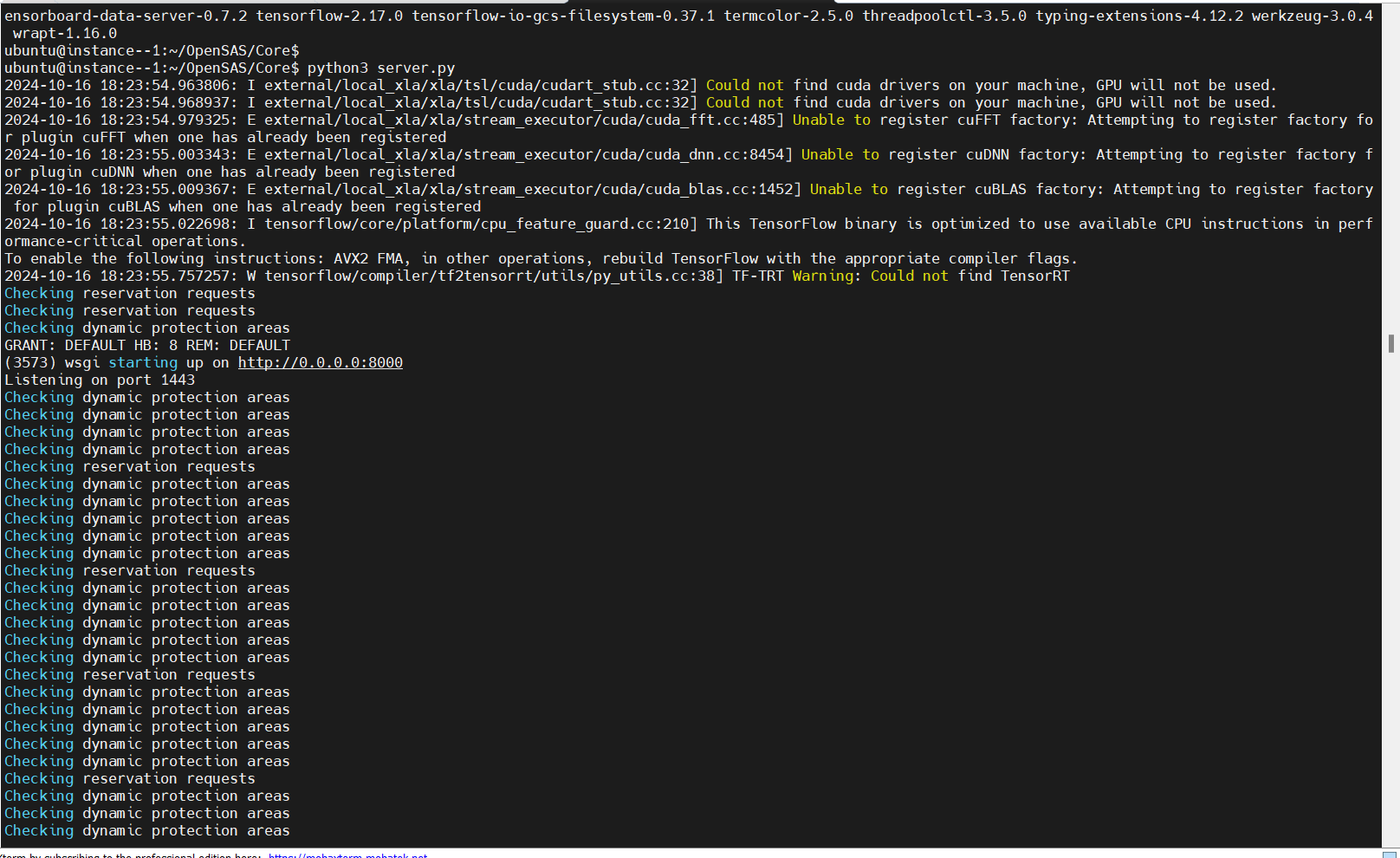
Figure: OpenSAS Server Running.
Once OpenSAS server is up and running, launch the OpenSAS dashboard:
cd OpenSAS-dashboard/
npm run dev
Verify that it is operational and accessible at http://localhost:9528/ or http://<dashboard-machine-ip>:9528/.
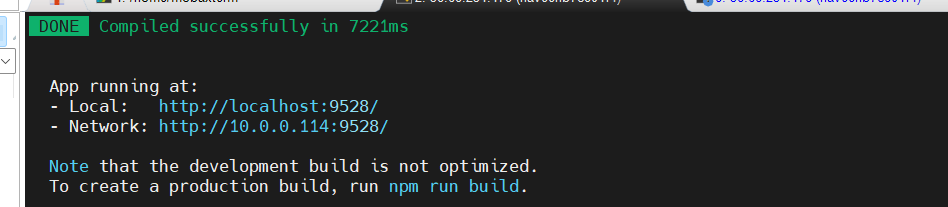
Figure: OpenSAS Dashboard Running.
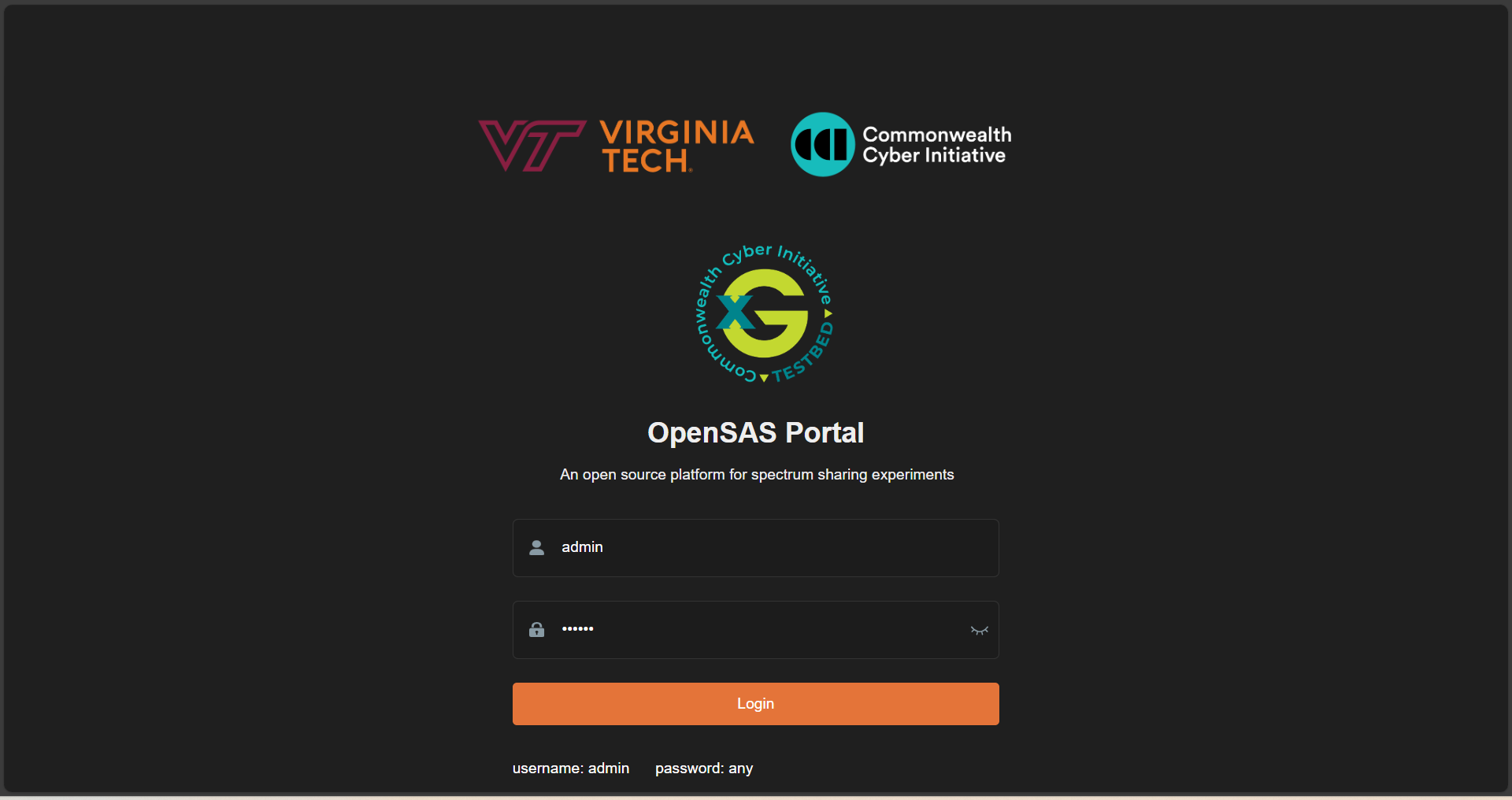
Figure: OpenSAS Dashboard Login Page.
The OpenSAS dashboard presents CBSD and spectrum views of the registered CBSDs, also a map showing the location and transmission radius of the CBSDs.
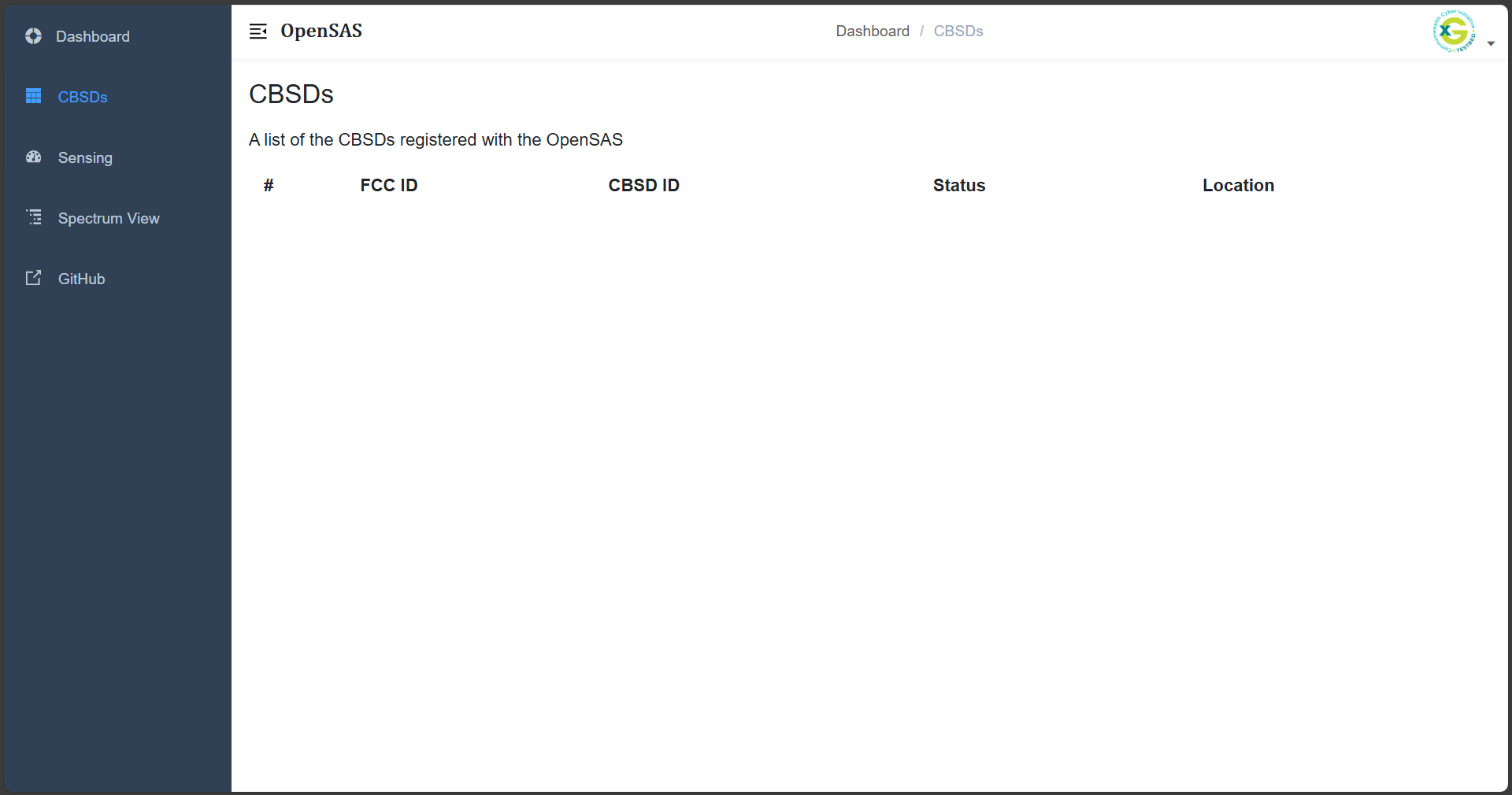
Figure: OpenSAS Dashboard views.
On the VM hosting GAA CBSD client (with Open5GS core, srsRAN gNB, and RF frontend connected), run the GAA first:
Open a New TMUX Session
This allows you to manage multiple terminal sessions.
cd CBSD/
tmux
Start the GAA CBSD Client
In the tmux terminal, run the following command:
python3 run.py --lat 38.88086127246137 --lon -77.11558699967016 --fcc GAA-Arlington --low 3610e6 --high 3620e6 -eirp 20 -react 0
After running this, you should see a registration request from the CBSD client sent to OpenSAS, a spectrum inquiry, and then OpenSAS grants.
The corresponding logs will appear in the OpenSAS dashboard and OpenSAS console.
After a successful grant, another terminal will open, starting the srsRAN 5G gNB.
You can now view this CBSD information in the CBSD list, Spectrum list, and map in the OpenSAS dashboard.
Output for GAA Operation
OpenSAS server logs indicating the CBSD registration:
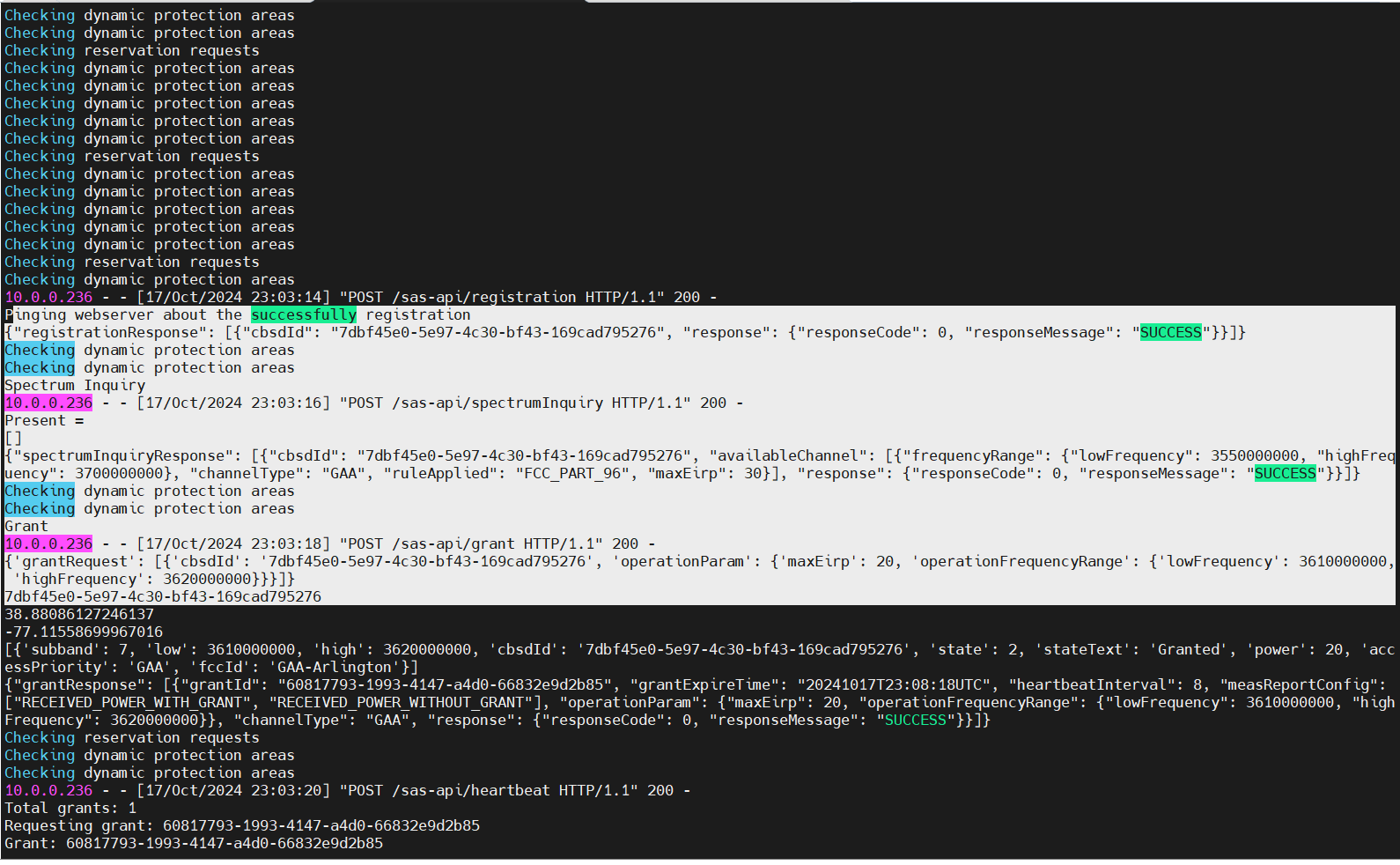
Figure 5: OpenSAS log indicating the CBSD registration.
CBSD console logs showing registration and spectrum inquiries:
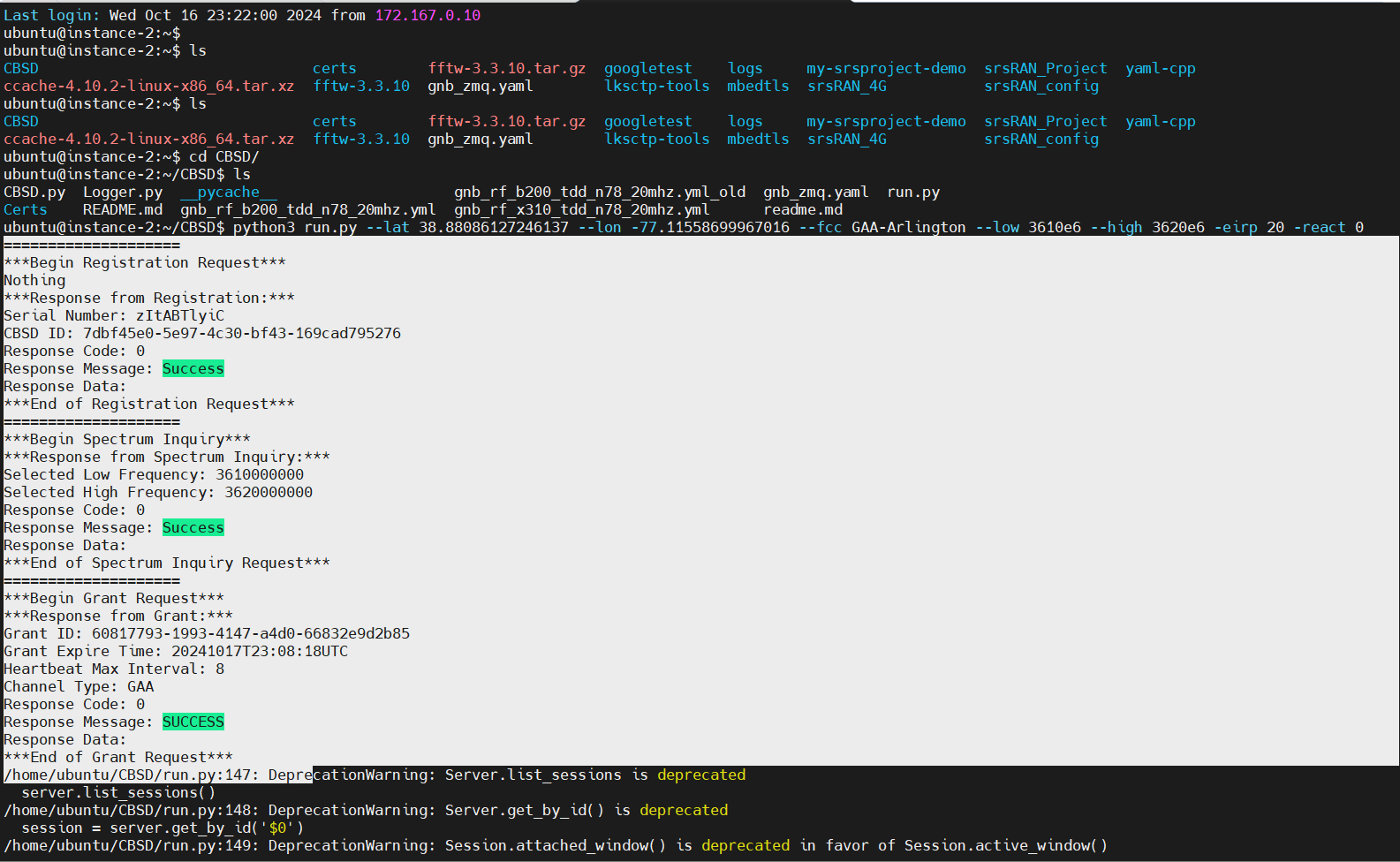
Figure 6: CBSD console logs indicating registration and spectrum inquiries.
OpenSAS Dashboard displaying GAA CBSD location on the map:
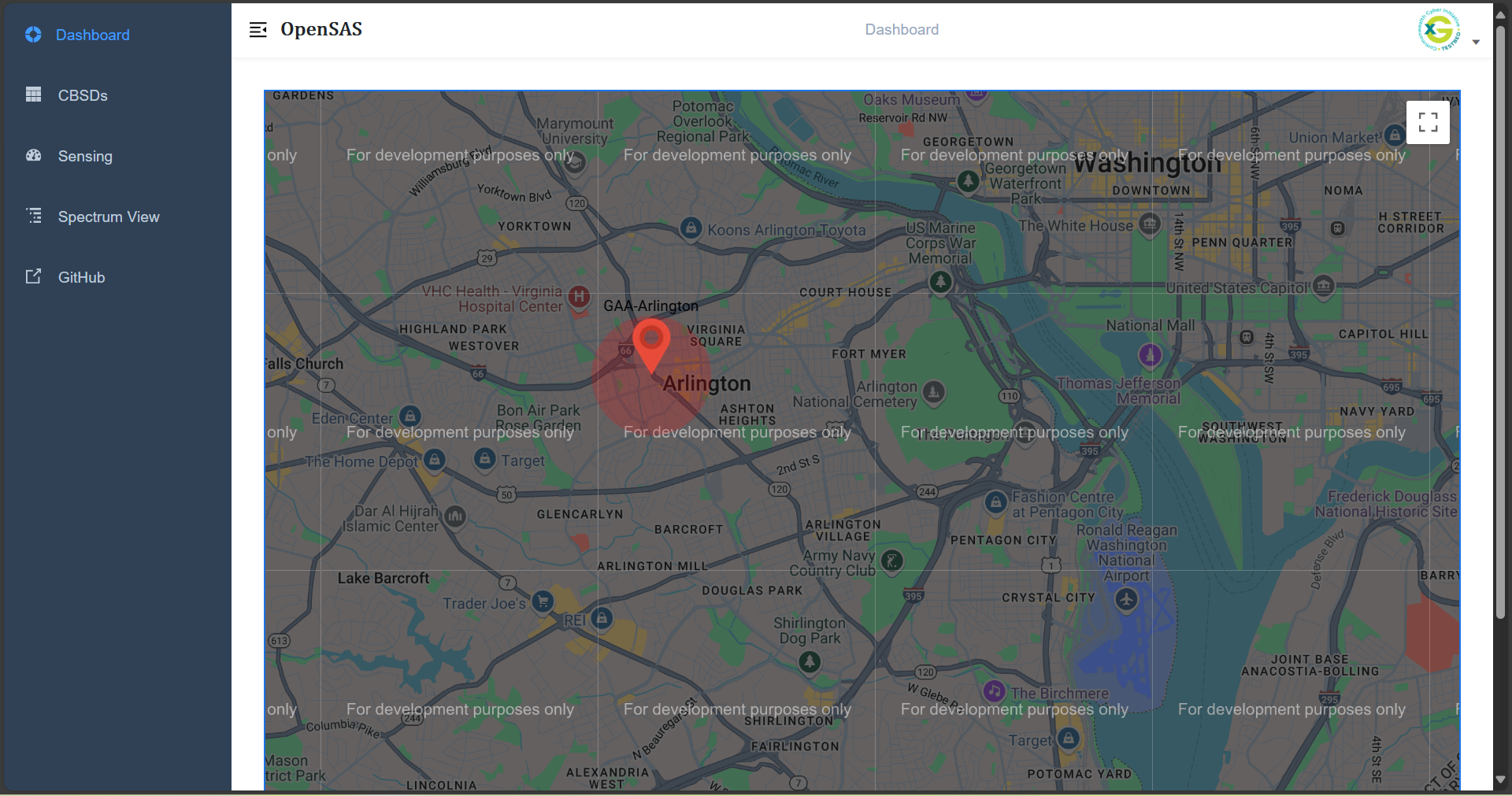
Figure 7: OpenSAS Dashboard displaying GAA CBSD location on the map.
Authorized band for the CBSD after grant response:
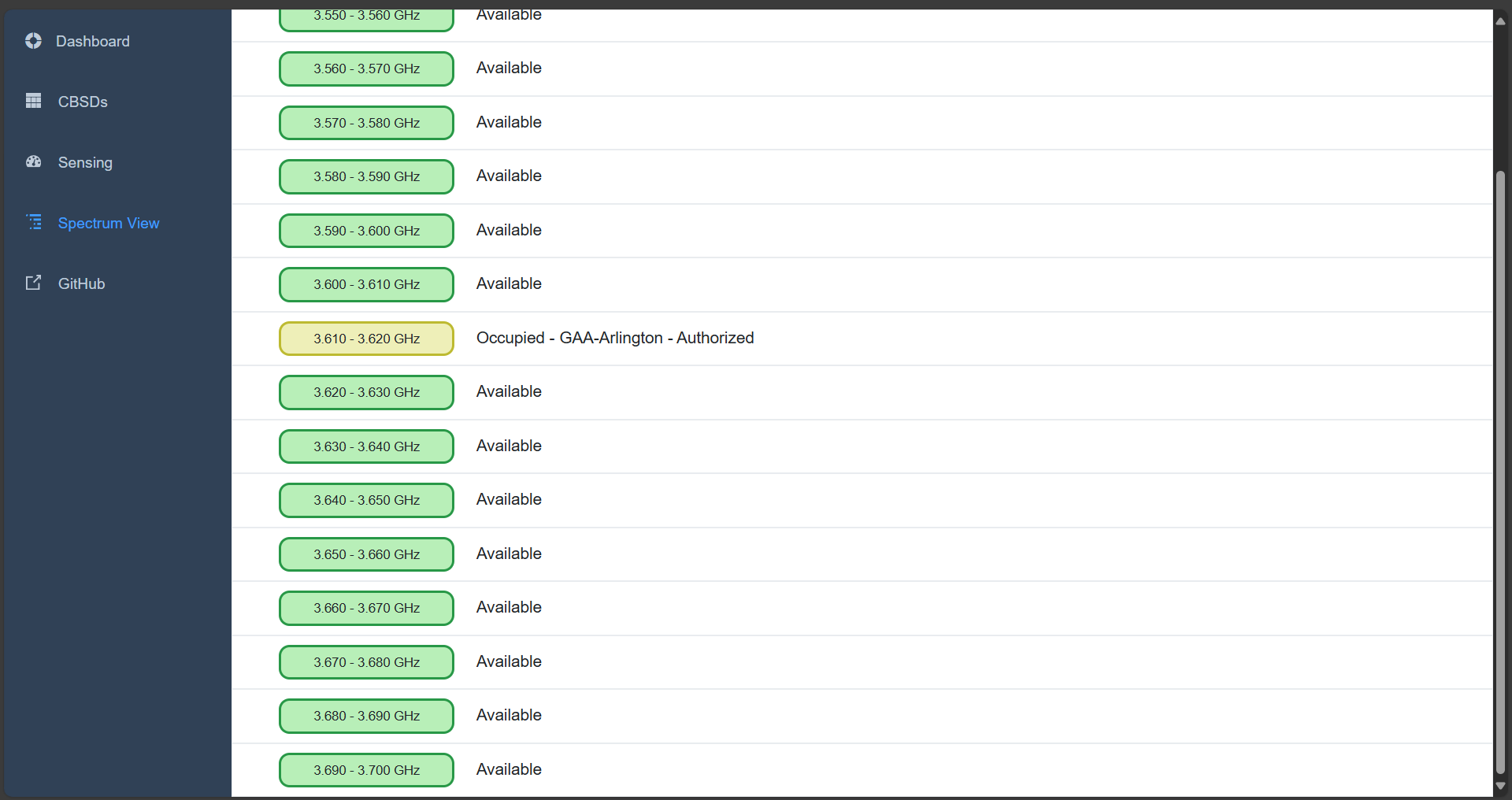
Figure 8: Authorized band for the CBSD after grant response.
Registered CBSD and its corresponding ID:
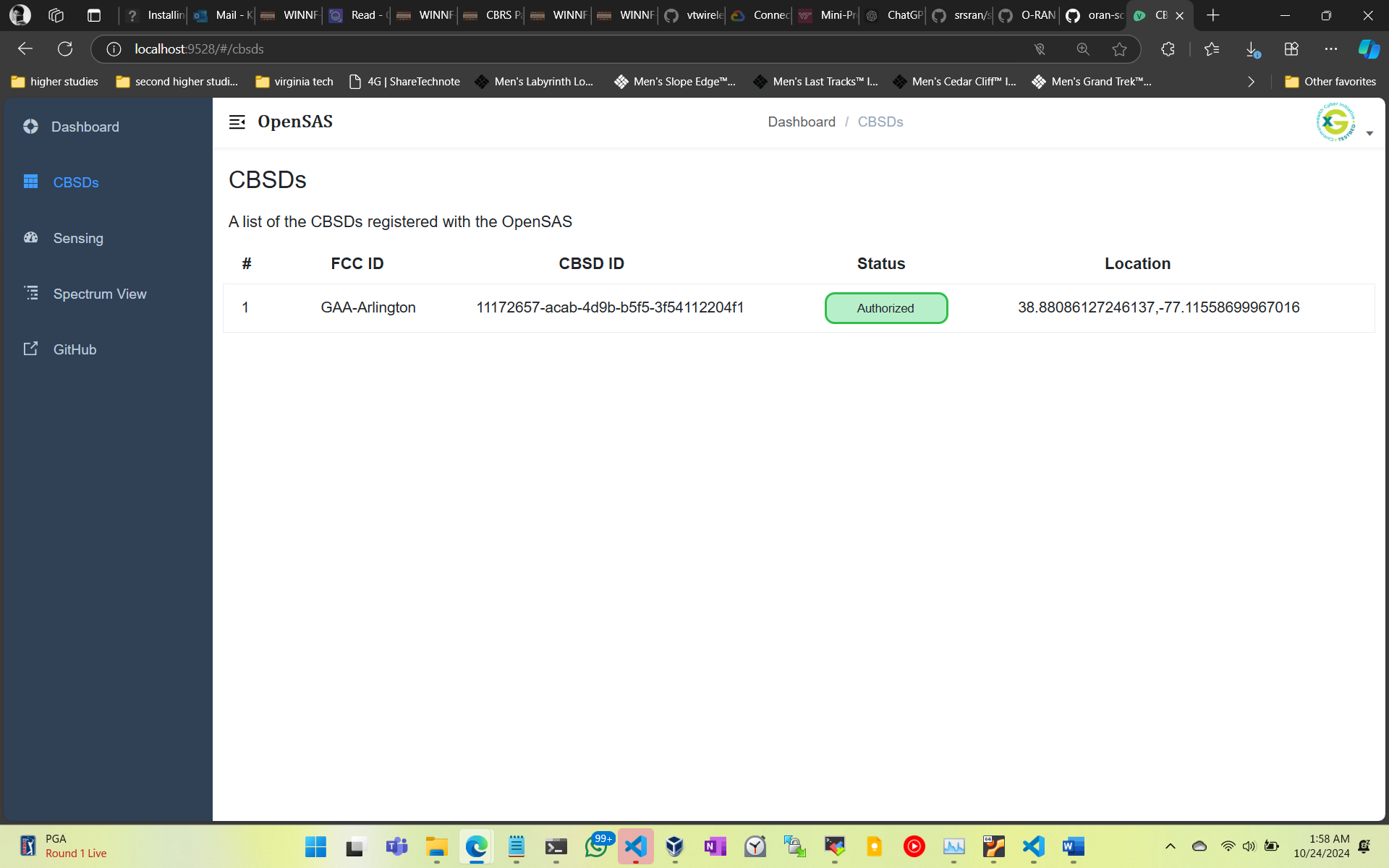
Figure 9: Registered CBSD and its corresponding ID.
Now, start the PAL CBSD client on a different VM:
Open a New TMUX Session
This allows you to manage multiple terminal sessions.
cd CBSD/
tmux
Start the PAL CBSD Client
In the tmux terminal, run the following command:
python3 run.py --lat 38.8818743855486 --lon -77.11132435717902 --fcc CCI-CBRS-PAL --low 3610e6 --high 3620e6 -eirp 20 -react 0
After running this, you should see a similar registration request from the CBSD client sent to OpenSAS, a spectrum inquiry, and then OpenSAS grants.
The corresponding logs will appear in the OpenSAS dashboard and OpenSAS console.
After a successful grant, another terminal will open, starting the srsRAN 5G gNB.
You can now view this CBSD information in the CBSD list, Spectrum list, and map in the OpenSAS dashboard.
Output for PAL Operation
Since the PAL user has priority over the GAA user, the PAL user will be granted access to the spectrum first. The GAA user will have to stop its operation and will be granted access only after the PAL user relinquishes the spectrum. In the meantime, the GAA user is in registered state and keep sending spectrum Inquiry to the SAS.
OpenSAS Dashboard displaying CBSD location on the map:
Since PAL user is granted same frequency as GAA user, the GAA user stops transmission and corresponding coverage area is removed from the map and the PAL user’s coverage area is shown.
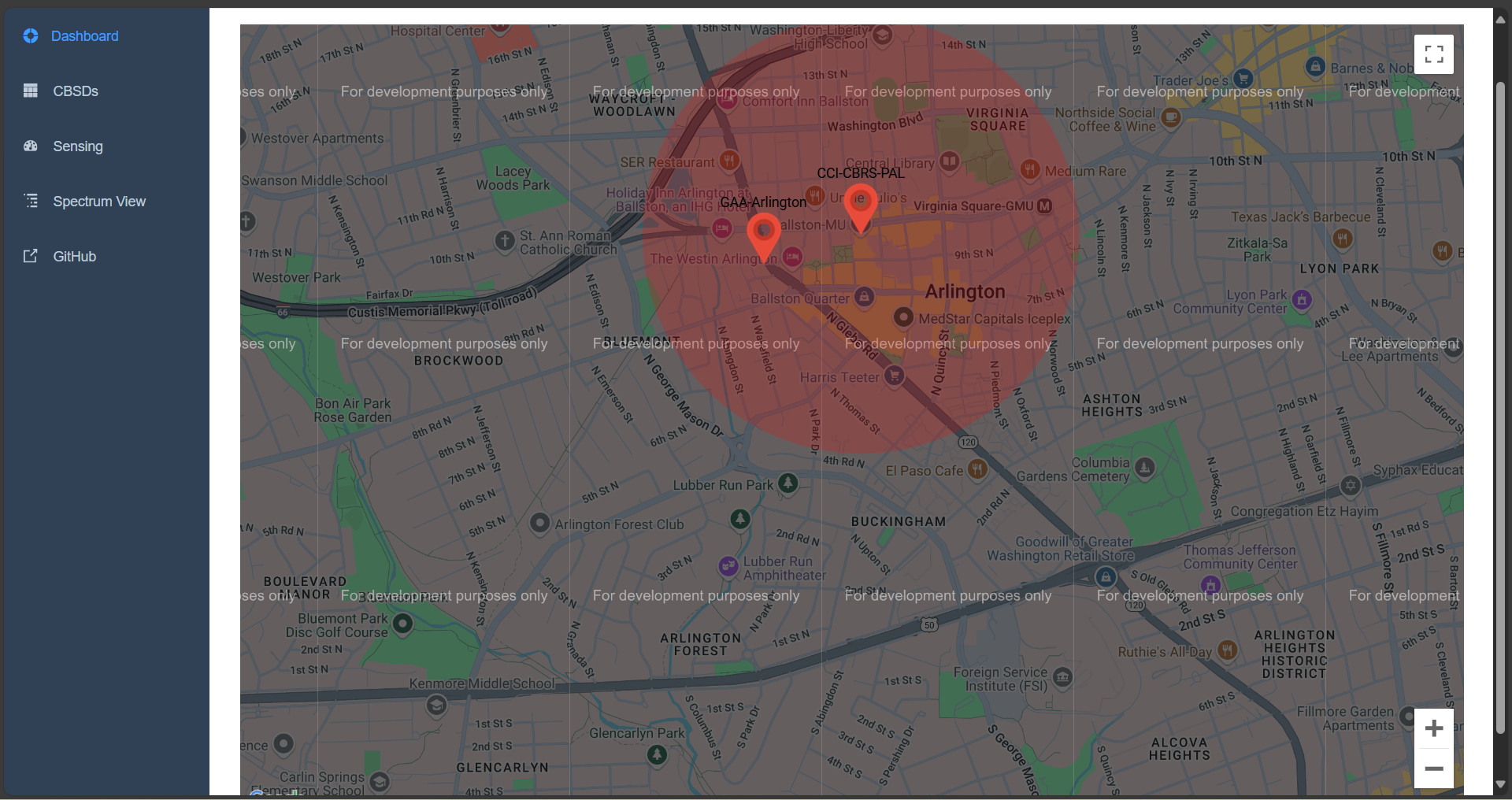
Figure 10: OpenSAS Dashboard displaying PAL and GAA CBSD location on the map.
Registered PAL CBSD user on the dashboard:
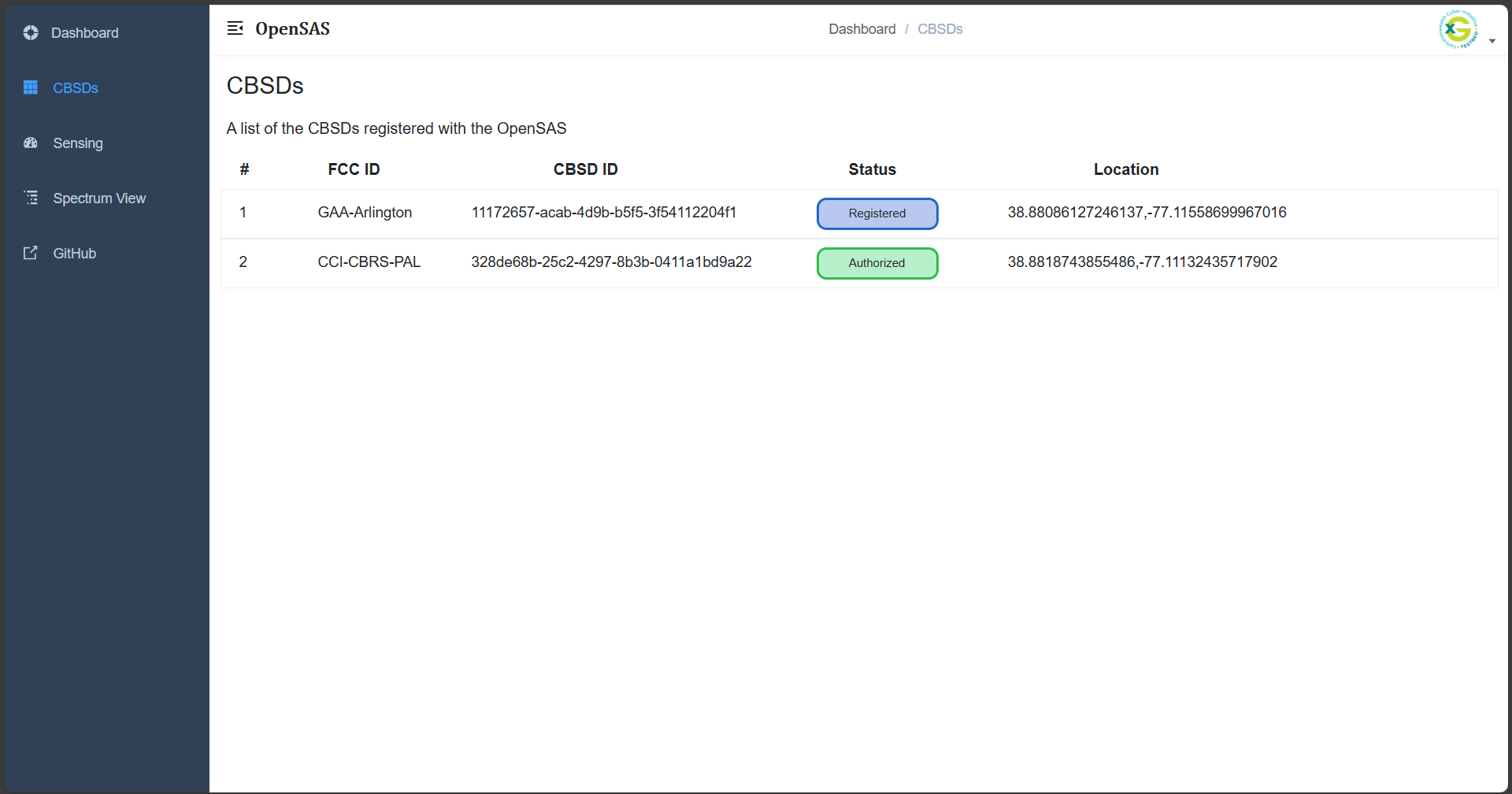
Figure 11: Registered PAL CBSD user on the dashboard.
Once PAL operation is terminated, the GAA user will be granted access to the spectrum and the corresponding coverage area will be shown on the map.
Figure 12: OpenSAS Dashboard displaying GAA CBSD location on the map.